
Every cocktail is a three-bottle basket.
A shopper who picks a recipe needs the spirit, the modifier, and the mixer — and your store sells all three. Crafted Pour builds a shoppable cocktail library out of the brands you already stock, automatically, so every drink your customers browse turns into more bottles in the cart.
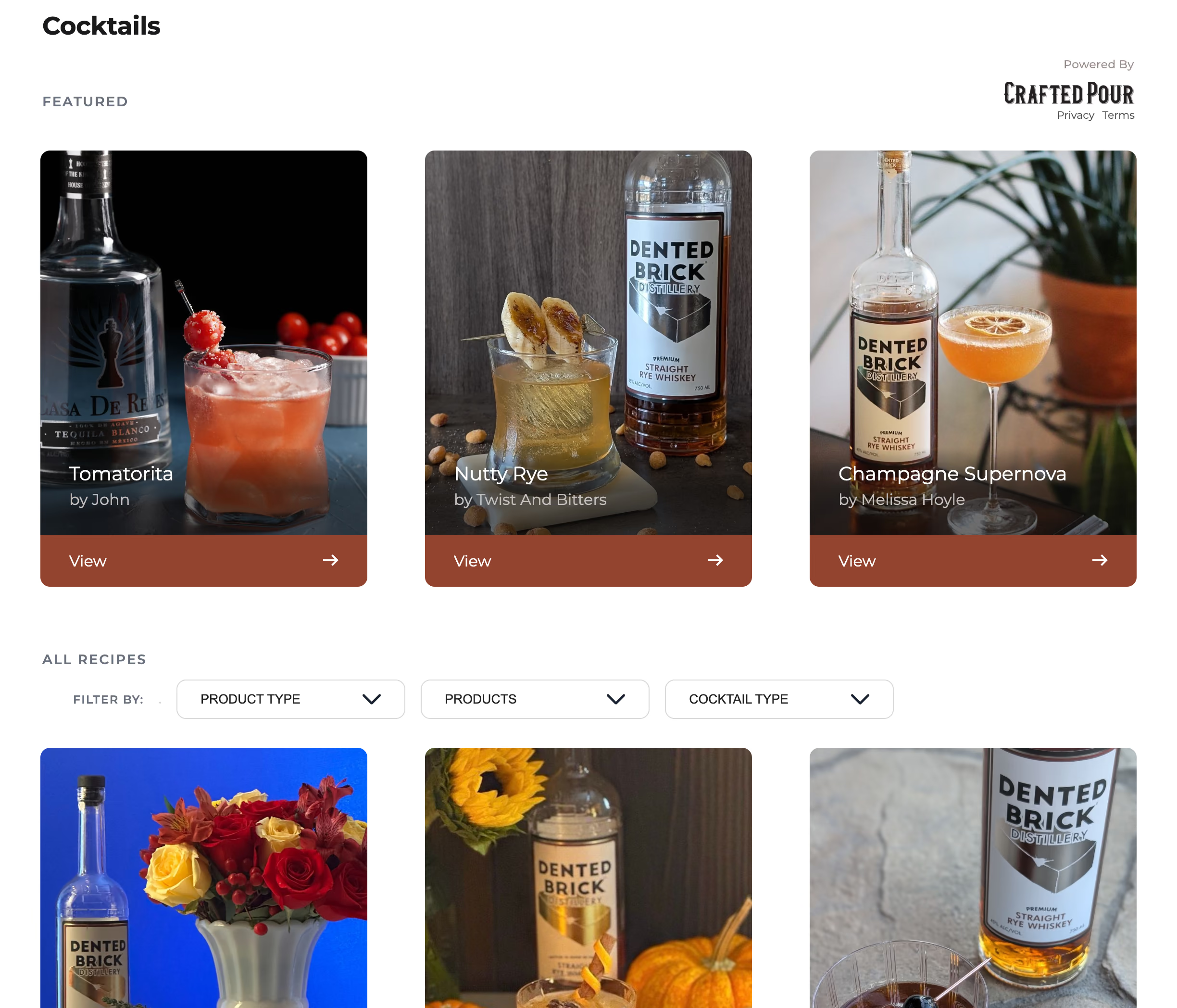
A catalog answers “which bottle.” A recipe answers “what should I make.”
Most liquor shoppers land on your site undecided, and a grid of product tiles asks them to already know what they want. A cocktail gallery flips that: it turns browsing into planning. And a plan is never one bottle — it’s a base spirit, something to modify it, a mixer, a garnish. The widget builds that gallery from the brands you stock, then links every ingredient back to a product you actually sell.
One recipe sells the whole round, not one bottle.
A search box sells the bottle a shopper already knew to look for. A recipe sells the four they didn’t: the base spirit, the amaro or vermouth that modifies it, the bitters, the garnish. Every ingredient links straight to the matching product on your shelf, so a shopper who opened one recipe leaves with a cart, not a single SKU.
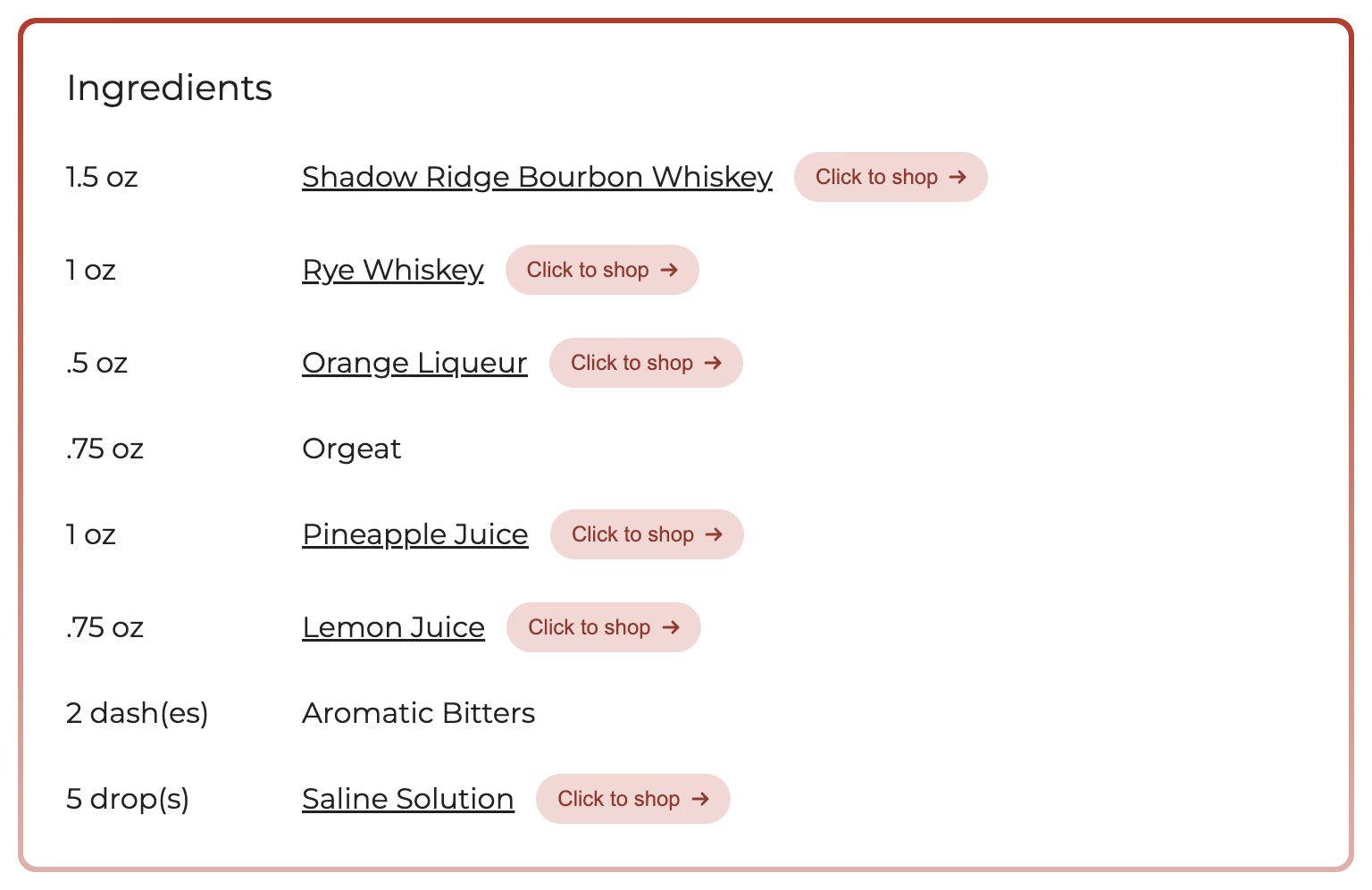
Slow movers ride alongside the hero spirits.
Recipes put the amaro, the orgeat, and the second-tier bottle next to the name everyone came in for — the cross-sells that never surface in a category grid. And it stays current on its own: add a new brand to your store and its recipes appear in the gallery overnight. No merchandising labor, no one rebuilding a “cocktails” page by hand.
Win the “what should I make?” moment.
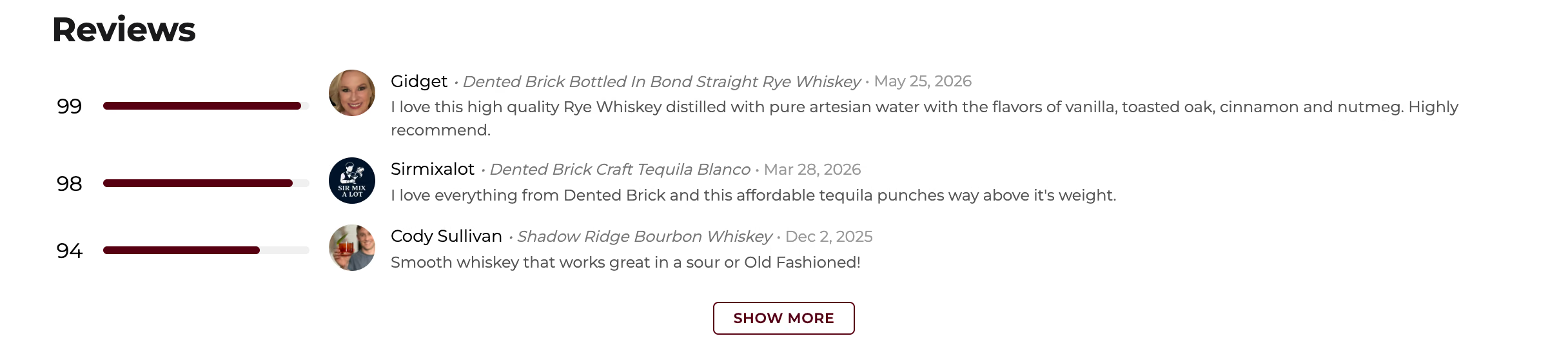
Most liquor shoppers arrive undecided. The gallery answers the question they’re actually asking — not “which vodka” but “what should I make” — so they leave with a plan instead of a single bottle. Creator ratings and tasting notes ride along on every recipe: the shelf-talkers your best customers trust, working on your site instead of a stranger’s.
The “what to make with ___” search lands in your store, not a recipe blog.
Every recipe renders as real, crawlable content on your own domain, with Recipe structured data search engines index. So when someone searches for what to make with a bottle you carry, the page that ranks is yours — and the shopper who clicks it is already inside your store, one tap from the cart, instead of reading a food blog that sells them nothing.
See which recipes move bottles.
The widget fires GA4-compatible events and attributes every outbound click to the recipe and the product it came from. You can see which cocktails send shoppers to which bottles — so you keep the recipes that convert in front of customers, and merchandise the rest of the shelf around them.
From your brand list to a live gallery
No catalog feed, no recipe writing, no rebuild.
Tell us your brands
Send the list of brands your store carries. No catalog export, no feed integration, no POS hookup to get started.
We build the gallery
We assemble a shoppable cocktail library spanning every brand you stock — creator recipes, ratings, and crawlable content included. No recipe writing or curation on your end.
Paste one script tag
Drop a single line of code on a page. The gallery renders inside your site’s own HTML — not an iframe — so it looks like your store and the SEO lands on your domain.
Runs on the store you already have
One script tag — no plugin install, no migration. Step-by-step guides for every major platform.
Developer building the embed? See the full embed-parameter reference.
Put the brands you already stock to work.
Install it yourself with our free platform guides — most take under 15 minutes. Or have us do it: white-glove setup covers custom styling, placement, and theme work so the gallery looks native to your store.